
Automated Email & Hot Folder Document Ingestion
Monitor email inboxes and network folders to automatically capture, classify, and file documents in the right place, eliminating manual data entry and reducing human error.
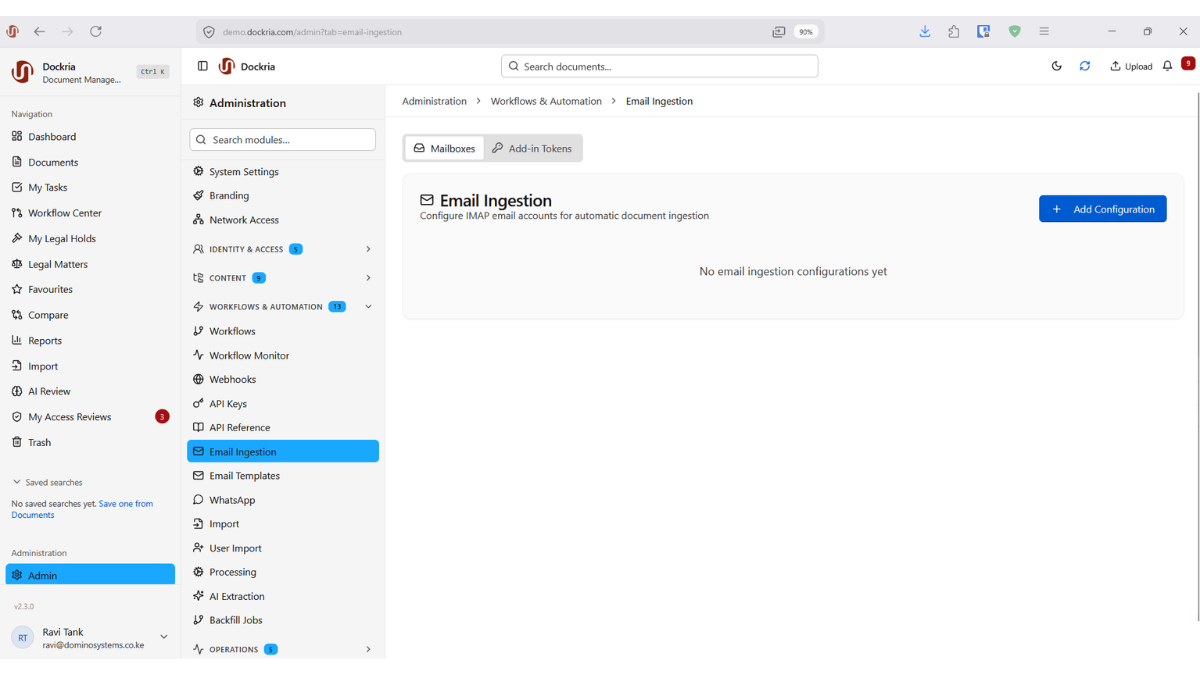
Many critical business documents arrive via email: invoices from suppliers, contracts from clients, reports from field offices. Others land in shared network folders from scanners, ERP exports, or partner file drops. Manually saving, classifying, and filing these documents is tedious, error-prone, and a waste of skilled employees' time.
Dockria's Email Ingestion monitors designated email inboxes and automatically captures incoming attachments. Configure rules to classify documents based on sender, subject line, or attachment type. An invoice from a known supplier automatically files under 'Accounts Payable' with the correct vendor metadata applied.
Hot Folder Monitoring works similarly for network directories. Point Dockria at any folder, and new files are automatically ingested, classified, and made available in the system. This is particularly powerful for integrating with scanners, which can deposit scanned documents directly into a monitored folder for instant processing.
Both ingestion methods support automated English-language OCR processing, meaning scanned documents that arrive via email or hot folder are immediately made searchable. Combined with automated workflows, incoming documents can trigger approval processes, notifications, and routing rules without any manual intervention.
Re-imports are handled deterministically rather than left to chance. When the same document arrives a second time (for example, a supplier resends an invoice or a scanner re-uploads a batch) Dockria recognises it and adds the file as a new version of the existing record instead of creating duplicate clutter in your repository. The original document, its metadata, and its history stay intact, while the new arrival sits cleanly on top as the latest version.
Title collisions are handled with the same predictable discipline. When a new document arrives with the same title as one that already exists but is genuinely a different document, Dockria automatically gives it a unique title and records a clear linkage back to the original, so reviewers can see at a glance how the two relate. Every one of these decisions (version-on-re-import, title-collision rename, linkage to the original) is written to the audit trail, giving records officers a strong, defensible position on records integrity even when ingestion volumes are high.
Key Benefits
Email Inbox Monitoring
Automatically capture attachments from monitored email addresses and classify them based on configurable rules.
Hot Folder Monitoring
Watch network directories for new files and automatically ingest them with the correct classification and metadata.
Auto-Classification
Rules based on sender, subject, file type, or folder determine how incoming documents are classified and filed.
Deterministic Duplicate Handling
Re-imports of the same document become new versions of the original record instead of duplicate entries, keeping your repository clean and your history intact.
Automatic Title-Collision Resolution
When two genuinely different documents arrive with the same title, Dockria assigns a unique title and records a clear linkage back to the original, no silent overwrites.
Every Decision Audited
Every version-on-re-import, rename, and linkage decision is recorded in the audit trail, giving records officers a defensible position on records integrity.
Seamless OCR Processing
Ingested English-language documents are automatically OCR-processed, making even scanned files immediately searchable.
Industry Use Cases
Accounts payable departments automatically capture and classify supplier invoices arriving via email, triggering approval workflows.
Law firms capture incoming correspondence and court filings from email into the appropriate matter folders automatically.
Government departments capture citizen correspondence and inter-agency communications arriving via email.
Quality control teams automatically ingest inspection reports and test certificates deposited by scanning stations.
Related Features
See How This Feature Applies to Your Industry
Ready to see email & hot folder ingestion in action?
Schedule a personalised demo and discover how Dockria can transform your document management operations.
Request a Demo