
Document Check-Out & Check-In
Reserve a document while you edit it by checking it out. Colleagues can see that it is in use. Check it back in to save your changes as a new version.
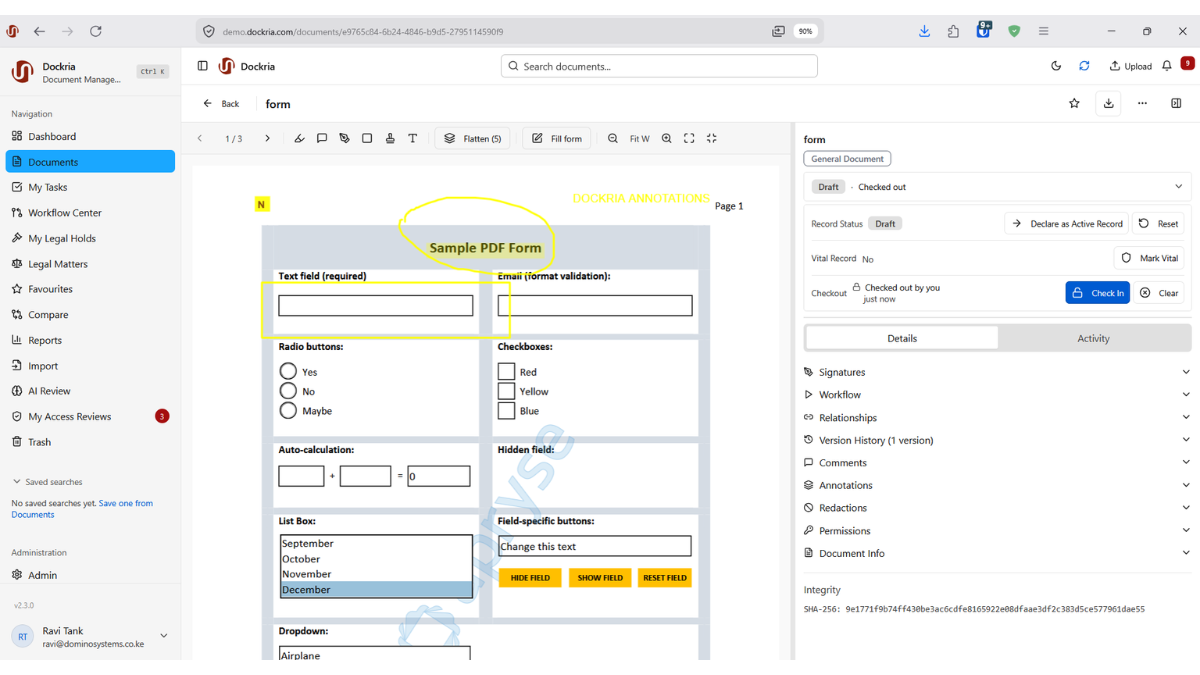
Existing interface image for orientation only. Framework names, status labels and signature stamps do not establish certification, legal conformity or a tested deployment. Use the qualified feature descriptions below.
How it works and what to check
When two people edit the same document at the same time, someone's work gets lost. The classic 'final-final-v3' chaos of shared drives is more than an annoyance. For contracts, policies, and reports it is a real risk to accuracy and accountability. Dockria's Check-out and Check-in eliminates it with a simple, visible locking model.
Checking a document out locks it for your exclusive editing. A clear lock badge appears on the document so every colleague can see at a glance that it is in use, who has it, and since when, no more guessing whether it is safe to start editing or quietly duplicating a file to be sure.
While a document is checked out, only you can make changes. When you are finished, you check it back in, which captures your work as a clean new version with an optional comment describing what changed. The lock is released and the document is immediately available for the next person, with the full version history intact.
Evaluate authorised checkout recovery when a colleague is unavailable. Available history can support review, but exhaustive logging of checkout, check-in and override actions was not established.
Key Benefits
Exclusive Edit Lock
Checking out a document reserves it for your edits alone, so two people can never overwrite each other's changes.
Visible Lock Status
A clear badge shows when a document is checked out, who holds it, and since when, ending the guesswork of shared drives.
Clean Versioning on Check-in
Checking back in captures your work as a new version with an optional comment, preserving the complete history.
Prevents Lost Work
Concurrent-edit conflicts simply cannot happen, protecting the accuracy of contracts, policies, and reports.
Admin Override
Administrators can release a stuck check-out when a colleague is unavailable, so work is never permanently blocked.
Available Activity History
Review recorded version and editing activity; verify event coverage for your required process.
Industry Use Cases
Drafting teams edit contracts one person at a time, with a visible lock preventing two lawyers from clashing on the same clause.
Finance teams update policies and procedures without risk of overwriting a colleague's revisions mid-cycle.
Departments collaborate on official documents with a clear, auditable record of who edited what and when.
Quality teams revise standard operating procedures with exclusive locks that keep controlled documents consistent.
Related Features
See it in an illustrative workflow
See How This Feature Applies to Your Industry
Ready to see check-out & check-in in action?
Schedule a personalised demo and discover how Dockria can transform your document management operations.
Request a Demo